
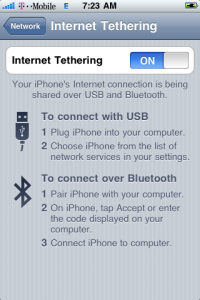
So Tethering is not included in the 3.0 firmware for the iPhone 3G from the start. You need to do a few simple things to enable it.
From your iPhone visit the site: help.benm.at
Go to Tethering & Internet Settings.
Click where it says Mobileconfigs download >
Choose USA.
Choose T-Mobile.
Then click Install.
You should now have the tethering option when you go to Settings->General->Network
It should also configure MMS for you as well! (note mms does not work on the 2G iPhone unless you get ActivateMMS2G from Cydia.)
umm i dont have that tethering and internet under network settings……
Its in settings, general, network: under the data roaming switch.
i didnt kno you can install stuff like this thru safari… WORKS now
here is the direct link for USA. visit this on your iPhone: http://help.benm.at/usa.php
Alan, I checked this out but 2 questions/problems.
1) It sets the APN to wap.voicestream.com. The correct WAP for users on a actual data plan (not tzones) should be internet2.voicestream.com correct?
2) Even after running this mobile config, I am still unable to activate tethering. I get “To enable tethering on this account, contact Carrier”
Change it back to Internet2 then. Reboot and see if it works
so does v-mail work ?? lol
Regular voicemail works but no visual voicemail for t-mobile USA.
my internet tethering went away…..
is there a way to change it to work with epc.tmobile.com?
Just type epc.tmobile.com for the apn when you are done.
I can confirm that this DOES work. I have t-mobile, using wap.voicestream.com for internet/MMS, tethering works, internet works, and MMS works.
After install this thing made me think my iphone was bricked, but it came back on after being at the apple screen for 10 minutes. After enabling tethering new hardware was found on my laptop and tethering disapeared leaving bluetooth on on the iphone. Uh. Hacked phone and Computer? Or what? Found other tethering methods and you need to do more than run a program… Gonna try again since if they’re hacked they’re hacked in hopes it works.
hmmm after a 2nd install and resart tethering doesn’t even appear so this is not working for me… hacked?
I did all of the steps above but there is still no Tethering options. does it work for an Iphone 2g?
Hi, could you plz tell me step by step on what to do?? I have tethering on.
It’s showing red icon when I send mms. It would not go thru..do I need to add epc.tmobile.com
Waqrab do you have a 2G iPhone? Also check this link out: https://limitededitioniphone.com/get-t-zones-and-mms-working-on-firmware-3-0/
I have a 3g s
should data roaming be on aswell? My data roaming is on. Tethering is on. I have MMS icon showing but when i send it, it shows a red exclamation icon next to photo. Do I have to have tzones coz I have not purchased tzones?? Please assist.
if yes then how do i get tzones? what should i call and say to tmobile?? how much do they cost?
Is there a way to use this for AT&T? I heard that AT&T doesn’t allow tethering .
does this work for the first gen?
cus i tried 2 times an nothing yet an iam doing off of my tzones
This will not work for the iPhone 2G (Silver Back). Only on the 3G and above. You can download a program from cydia called PDANet that will let you tether on a first generation iPhone.
Incredible! Works great on my 3G and 3G S T-Mobile. Thanks!