
Limited Edition iPhone header image

Easy Upgrade From Unlocked 1.1.1 To Unlocked 1.1.2 Firmware

November 25th, 2007 by Limited Edition iPhone · 58 Comments

1.1.2 Firmware

This method is for Out Of The Box 1.1.1 firmwares or below. It is not possible to unlock a phone that shipped with 1.1.2 at the moment as the bootloader has changed. The Dev Team is working on a fix as we speak.

For those of you who have a OTB 1.1.1 and jailbroke with jailbreakme.com and ran anysim1.1, please follow the guide below.

Remember, this works IF you currently have a 1.1.1 phone unlocked. If you already updated to 1.1.2 and downgraded to 1.1.1, this will not work because your baseband is 4.02.xx and not 4.01.xx

First dock and sync your iPhone one last time you you don’t loose anything.
undock and get ready.

1. run oktoPrep on the iPhone from installer.
2. Dock your iPhone and update to 1.1.2 -Make sure that you click update and not restore. If you select restore it will wipe out oktoPrep. After the update your phone will be in restore mode leave it and now use the jailbreak 1.1.2 windows.bat file
3. jailbreak using 1.1.2 jailbreak. you can download the jailbreak app here http://conceitedsoftware.com/iphone/1.1.2-jailbreak.zip
4. use installer add add a new source called http://limitededitioniphone.com/lei.xml and download anySIM 1.2.1u
5. Reboot the phone and turn on the AIRPLANE mode (this is important so that it won’t crash summerboard when unlocking is running)
6. run anySIM 1.2.1u
6. install iWorld, Skip this if you live in USA
your done…

dock and sync you iPhone, it should restore from backup your settings

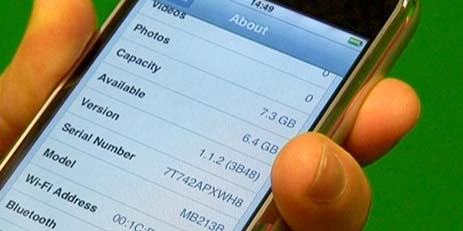
go to settings, about, verify you don’t see the 300mb problem
verify, does Summboard work? hint always keep dim wallpaper turned off.
verify can you make and receive calls
verify can you sms and receive sms
verify can you email and get emails

lastly verify your Edge settings remain..if they don’t, download the EDGE settings fix from installer.

-Thanks to a combination of people from Hackint0sh

Tags: Apple · FAQ · Mods · Unlocked · iPhone

58 responses so far ↓

  • 1 Ryan worrellNo Gravatar // Nov 25, 2007 at 11:38 am

    anyone can verify this working?

  • 2 Limited Edition iPhoneNo Gravatar // Nov 25, 2007 at 7:46 pm

    I can confirm it works… I just did it!

  • 3 azNo Gravatar // Nov 26, 2007 at 6:12 am

    ahhh to scared to brick phone sice i dont know what im doing

  • 4 Madblaster6No Gravatar // Nov 26, 2007 at 5:09 pm

    This is the same as the old method that broke my phone. Just now they tell you you have to put it in airplain mode. Darn youuu. Yes it works. I did it. I can restore any iPhone so I did it. ;p enjoy.

  • 5 Limited Edition iPhoneNo Gravatar // Nov 26, 2007 at 5:24 pm

    That is correct. You must make sure you are in airplane mode or anysim will fail.

  • 6 santana4uNo Gravatar // Nov 26, 2007 at 7:16 pm

    it realy work
    i did two fone one with no preblem 2nd one did not reboot after jailbreak but close it out and open the windows bat and click on boot from recovery and all wend fine
    thank you for the inf

  • 7 santana4uNo Gravatar // Nov 26, 2007 at 7:16 pm

    it realy work
    i did two fone one with no preblem 2nd one did not reboot after jailbreak but close it out and open the windows bat and click on boot from recovery and all wend fine
    may donation is on the way
    thank you for the inf

  • 8 radamesNo Gravatar // Nov 26, 2007 at 9:54 pm

    Hi, i am telling you people, go on and do it! Works like a charm.

    My experience as follows, i was in 1.1.1 unlocked jailbroken, follow the tutorial and now i am running 1.1.2 unlocked jailbroken and really damn happy i tried it.

    Soo.. go ahead, and jump!!!!!

  • 9 Ryan WorrellNo Gravatar // Nov 27, 2007 at 12:01 am

    Hmmm. I cant find this .bat file….I am looking on the link and see no .bat files or anything with 1.1.2 in it at all….any help someone?

    Thanks!

  • 10 Limited Edition iPhoneNo Gravatar // Nov 27, 2007 at 12:14 am

    http://conceitedsoftware.com/iphone/1.1.2-jailbreak.zip

    you will need to extract that zip file to a folder

  • 11 Ryan WorrellNo Gravatar // Nov 27, 2007 at 12:38 am

    Yep!! It worked!! Thanks so much Limited your a badass.

    INFO:

    Had a 1.1.1 AnySIM unlocked and just upgraded using this method step by step and it worked perfect. Now running 1.1.2 unlocked and everything seems to be working.

    Thanks again!!!!!!

  • 12 Madblaster6No Gravatar // Nov 27, 2007 at 10:57 am

    Does anyone know how to get installer app on 1.1.2 I need to restore for something.

  • 13 Limited Edition iPhoneNo Gravatar // Nov 27, 2007 at 11:10 am

    installer should be on as soon as you jailbreak. if you need to manually install it. use the winscp guide. http://limitededitioniphone.com/windows-guide-to-using-winscp-with-iphone/

  • 14 JohnNo Gravatar // Nov 27, 2007 at 12:36 pm

    Hi guys,

    Will this method work with me going straight from 1.0.2 to 1.1.2? I’ll have to upgrade to 1.1.1 first right?
    Grateful for any advice.
    Best,
    John

  • 15 Limited Edition iPhoneNo Gravatar // Nov 27, 2007 at 2:14 pm

    virginize your 1.02 phone, upgrade to 1.1.1. jaibreakme.com on 1.1.1 and install oktoprep from installer. Then upgrade to 1.1.2 and jailbreak and unlock.

  • 16 swiss dudeNo Gravatar // Nov 27, 2007 at 8:34 pm

    will applications like sketches, solitaire or labyrinth still work on 1.1.2 ??

  • 17 Limited Edition iPhoneNo Gravatar // Nov 28, 2007 at 8:31 am

    I know solitaire is working and I bet the others work too. If not I am sure they are working on an update that will be released soon.

  • 18 Van 1.1.1 > 1.1.2 zonder downgrade 1.1.1 - iPhone Forum - alles over de apple iPhone (in Nederland) // Nov 28, 2007 at 11:03 am

    [...] 1.1.1 > 1.1.2 zonder downgrade 1.1.1 Easy Upgrade From Unlocked 1.1.1 To Unlocked 1.1.2 Firmware Ziet er erg simpel uit, zou dat [...]

  • 19 mjayNo Gravatar // Nov 29, 2007 at 3:46 am

    Thnx! I have about 6 iPhones to do, from 1.02 unlocked to 1.1.2.

    One question:
    “virginize your 1.02 phone, upgrade to 1.1.1. jaibreakme.com on 1.1.1 and install oktoprep from installer. Then upgrade to 1.1.2 and jailbreak and unlock.”

    So don’t unlock 1.1.1 with AnySIM1.1?

  • 20 Limited Edition iPhoneNo Gravatar // Nov 29, 2007 at 8:39 am

    do not unlock at 1.1.1 because the changes will be erased when you upgrade to 1.1.2.

  • 21 1.1.1. naar 1.1.2 vast (osx) - iPhone Forum - alles over de apple iPhone (in Nederland) // Nov 29, 2007 at 3:01 pm

    [...] nieuwe methode overwegen. Die heb ik net zelf afgerond en kan bijna niet mislukken. Staat hier: Easy Upgrade From Unlocked 1.1.1 To Unlocked 1.1.2 Firmware Laatst gewijzigd door Jeroen de Bruijn : 29 november 2007 om [...]

  • 22 anySIM lukt niet - iPhone Forum - alles over de apple iPhone (in Nederland) // Nov 29, 2007 at 4:14 pm

    [...] naar 1.1.1 6 - Jailbreak met de appsnapp manier 7 - Installeer oktoprep en update naar 1.1.2 8 - Easy Upgrade From Unlocked 1.1.1 To Unlocked 1.1.2 Firmware Klaar. [...]

  • 23 1.1.1. naar 1.1.2 vast (osx) - Pagina 2 - iPhone Forum - alles over de apple iPhone (in Nederland) // Nov 30, 2007 at 2:49 pm

    [...] wat nu? Zit nu dus op een 1.1.1 met jailbreak, ssh, wifi en anysim geunlocked. Je aangeraden link Easy Upgrade From Unlocked 1.1.1 To Unlocked 1.1.2 Firmware kan ik niet gebruiken aangezien daar staat: Remember, this works IF you currently have a 1.1.1 [...]

  • 24 linNo Gravatar // Dec 2, 2007 at 12:06 am

    I installed oktoprep, and updated to fw1.1.2 on my unlocked 1.1.1 O.T.B. phone. But now my iphone is at activation screen and Jailbreaking1.1.2 stopped at the very end, no messages confirming that it is complete. If I type *#307# … than i can access wifi, safari … but the phone does not recogize my sim card. Please help

    thanks,

  • 25 swissdudeNo Gravatar // Dec 12, 2007 at 7:43 am

    one of my friends accidentally uptated to 1.1.2 but he didn’t install oktoprep before uptating and now he is stuck with a locked 1.1.2 iphone… is there anything to do ?

  • 26 Ryan WorrellNo Gravatar // Dec 12, 2007 at 8:56 am

    Just have him force the phone into recovery mode (there should be a tutorial on this site) then go into itunes and shift-click (opt-click for mac) on restore. And point to the 1.1.1 firmware file. If you need the firmware file you can find it here:
    http://limitededitioniphone.com/where-can-i-get-an-old-iphone-firmware/

  • 27 Ryan WorrellNo Gravatar // Dec 12, 2007 at 8:59 am

    Hey swissdude, my instructions were pretty general. This may help more

    http://limitededitioniphone.com/guide-downgrade-112-to-111-on-windows/

    If you have trouble finding any of the needed files let me know.

  • 28 HendrichNo Gravatar // Dec 12, 2007 at 9:03 pm

    i’m from dominican republic, and can’t make call because in iworld my country is not in the list

  • 29 swissdudeNo Gravatar // Dec 12, 2007 at 9:15 pm

    If I would want to buy a new iphone … it would come with 1.1.2 right ?In order to jailbreak it, could I simply downgrade to 1.1.1, jailbreak, then upgrade to 1.1.2 and then jailbreak again ? or is there another way or what ?

  • 30 HendrichNo Gravatar // Dec 12, 2007 at 9:28 pm

    when i’m trying to make a call is crashing? how i resolve this problem?

  • 31 Limited Edition iPhoneNo Gravatar // Dec 13, 2007 at 12:39 am

    yes swissdude. You will not be able to unlock it yet though. Hendrich you might be able to manually edit your files.

  • 32 swissdudeNo Gravatar // Dec 13, 2007 at 8:42 am

    so you’re saying It’s possible to jailbreak but not possible to unlock with anySim ?

  • 33 Limited Edition iPhoneNo Gravatar // Dec 13, 2007 at 10:16 am

    yes you can jailbreak it and have an ipod touch (no phone capabilities). You cannot unlock a out of box 1.1.2 yet

  • 34 PaulNo Gravatar // Dec 18, 2007 at 6:08 am

    Hi,

    Just a quick question. I am unlocked on t-mobile uk, firmware 1.1.1 . If I want to upgrade to 1.1.2 do I have to downgrade the baseband and then install ok to prep etc?

    Thanks

  • 35 Limited Edition iPhoneNo Gravatar // Dec 18, 2007 at 9:22 am

    if you are already unlocked at 1.1.1 just run ok to prep and update to 1.1.2 and then run the jailbreak. After that put your phone into airplane mode and run anysim 1.2.1u

  • 36 HendrichNo Gravatar // Dec 21, 2007 at 3:18 pm

    what happens if i forget turn it on the airplane mode?, how i can fix that mistake?

  • 37 MasterNo Gravatar // Dec 25, 2007 at 7:58 am

    Great!!!!!!!!!!!
    It works.

  • 38 AppTap 1.1.2 - iPhone Forum - alles over de apple iPhone (in Nederland) // Dec 25, 2007 at 9:37 am

    [...] hier vind je de link. Als je met dat jailbreakprogramma (werkt zowel onder windows als mac want is java) jailbreakt wordt meteen ook de installer geinstalleerd __________________ iPhone 8Gb (nederlands) [...]

  • 39 PaulNo Gravatar // Jan 6, 2008 at 3:42 pm

    Hi,

    I have a US Iphone that a friend bought but he is using an 02 uk sim card Ive followed the various steps and used anysim, but this has no effect and still says the phone needs the right sim. I tried this method with my iphone and it worked great but i’m on t-mobile uk would that made a difference?

    Thanks

    Paul

  • 40 Madbalster6No Gravatar // Jan 7, 2008 at 12:17 am

    That’s because you have the new iphone they don’t unlock yet. It has the 4.0 bootloader when the other has 3.(somethin)

  • 41 PaulNo Gravatar // Jan 7, 2008 at 3:10 am

    when I was revirginizining the baseband the bootloader said it was 3.9. and whoever had the iphone before said it was unlocked on 1.1.1. What do ya reckon?

    Thanks

    Paul

  • 42 Limited Edition iPhoneNo Gravatar // Jan 7, 2008 at 1:43 pm

    did the unlocking process say successful and did you make sure to put the phone in airplane mode and use anysim 1.2.1u

  • 43 PaulNo Gravatar // Jan 7, 2008 at 5:41 pm

    I did have the airplane mode on and any sim did say it was sucsessful. As soon as any sim was complete I turned off airplane mode the iphone said searching for network then just came up with the wrong sim is inserted. I did this on my iphone and it was sucessful I don’t get it. Is it something I havent done?

    Thanks

    Paul

  • 44 Limited Edition iPhoneNo Gravatar // Jan 7, 2008 at 8:55 pm

    does your sim work in his phone? try revirginizing and try again

  • 45 PaulNo Gravatar // Jan 8, 2008 at 12:34 pm

    I did try this I revirginised and tried my sim card in my friends iphone, which I unlocked with anysim still no luck. Could it be that my friends iphone has the newer bootloader on it?

    Thanks

    Paul

  • 46 Limited Edition iPhoneNo Gravatar // Jan 8, 2008 at 1:36 pm

    Yes that could be the case.

  • 47 madblaster6No Gravatar // Jan 9, 2008 at 12:13 am

    do the test to find out. Just go to hacktheiphone.com they have the best unlock method!

  • 48 Laag volume na upgrade 1.1.2 - iPhone Forum - alles over de apple iPhone (in Nederland) // Jan 11, 2008 at 9:52 am

    [...] 1.1.2 Dames en heren, Nadat ik gisteren mijn OTB 1.1.1 ge-update had naar FW 1.1.2 middels Easy Upgrade From Unlocked 1.1.1 To Unlocked 1.1.2 Firmware zit ik nu met het volgende probleem: Mijn speaker volume is über laag. Het is dat mijn [...]

  • 49 Apple update does not have 1.1.2 available for download anymore on iTunesNo Gravatar // Jan 22, 2008 at 1:52 pm

    i want to upgrade my unlocked snd jailbroken 1.1.1 phone to 1.1.2 using the instructions above. However, on the instructions, it says to update to 1.1.2 thru iTunes, however I cannot do that anymore since 1.1.3 is now on the iTunes site. How can I download the old 1,1,2 update?

    Thanks!

  • 50 Madblaster6No Gravatar // Jan 22, 2008 at 1:54 pm

    All you need to do is download the 1.1.2 firmware than when going to click on the update button hold shift. so Press and hold shift then click update. Then find the 1.1.2 wherever you saved it to.

  • 51 TJNo Gravatar // Jan 22, 2008 at 2:19 pm

    Thanks!

    Where can I download the 1.1.2 firmware? I found the 1.1.2 firmware for restoring the phone, but I think I really need the 1.1.2 update firmware, not the 1.1.2 restore, correct?

  • 52 Madblaster6No Gravatar // Jan 22, 2008 at 2:22 pm

    It’s the same thing. Restore update.

  • 53 TJNo Gravatar // Jan 22, 2008 at 3:46 pm

    Ok - thanks… One final question… if the 1.1.2 restore file is the same this as the 1.1.2 update file, why does it matter if I click “Shift - Update”, versus “Shift - Restore” within iTunes? Since I’m selecting the ssame file name either way, I was just curious what the difference was…

    PS - in your opinion, do you see any value in upgrading to 1.1.2?

    Thanks again for all your help!

  • 54 Madblaster6No Gravatar // Jan 22, 2008 at 3:55 pm

    Like I said it doesn’t matter. You should click update anyway. See if hackthatiphone.com has a diffrent named file if you don’t belive me.

  • 55 Diepe problemen na firmware 1.1.3 upgrade - Pagina 4 - iPhone Forum - alles over de apple iPhone (in Nederland) // Jan 25, 2008 at 8:46 am

    [...] een mac, heb vorige keer dit gebruikt Easy Upgrade From Unlocked 1.1.1 To Unlocked 1.1.2 Firmware kan ik die nu ook gebruiken ? neem aan dat ik dus gewoon oktoprep moet instaleren, dan update [...]

  • 56 Diepe problemen na firmware 1.1.3 upgrade - Pagina 5 - iPhone Forum - alles over de apple iPhone (in Nederland) // Jan 25, 2008 at 8:50 am

    [...] geplaatst door Brimme heb een mac, heb vorige keer dit gebruikt Easy Upgrade From Unlocked 1.1.1 To Unlocked 1.1.2 Firmware kan ik die nu ook gebruiken ? neem aan dat ik dus gewoon oktoprep moet instaleren, dan update [...]

  • 57 mikeNo Gravatar // Jan 29, 2008 at 2:16 pm

    2 quick questions

    i have a jailbroken unlocked 1.1.1 phone running on t-mobile.

    i have a lot of apps installed already and when i update, will the still be on the home screen after the update? will they still be installed but not show up? should i uninstall everything before the update and reinstall after update?

    secondly, i had to edit a .plist file in order to get my edge settings to work with t-mobile t-zones mobile internet. if i update will my edge settings still be in the file? if not, will i be able to get t-zones to work on the iphone the same way in 1.1.2 as i got it to work in 1.1.1?

    thanks for the help

  • 58 Madblaster6No Gravatar // Jan 29, 2008 at 2:18 pm

    I suggest make a list of what you have installed. T0zones should work if not go into 1.1.2 tweeks and see if there is any tweek for kepping the settings saved. Also For the edge thing just get the servises app.

Leave a Comment